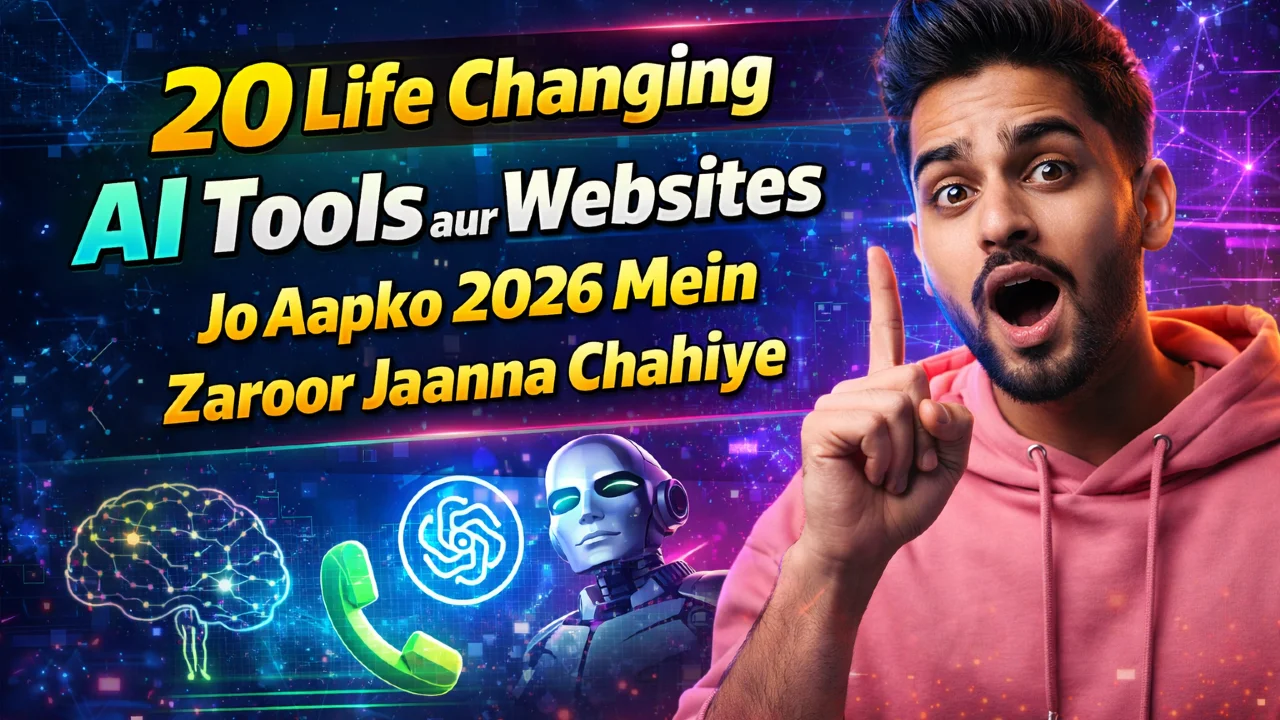
Bhai, 2026 mein AI tools sach mein life changing ho gaye hain. Pehle main bhi sochta tha ki ChatGPT se bas essay likhwa lo ya thodi research kar lo, lekin jab maine Kolkata mein baith kar in tools ko ek ek karke try kiya toh pata chala ki yeh sirf tools nahi, roz ki zindagi ke real helpers ban gaye hain. Student ho, job karte ho, business chala rahe ho ya creative kaam karte ho – yeh 20 AI tools aapka time bacha denge, ideas badha denge aur kaam ko itna easy bana denge ki pehle soch bhi nahi sakte the.
Maine khud beginner level se shuru kiya tha. Pehla tool try karte waqt sirf “hello” type kiya tha, ab har din 5-6 tools use karta hoon. Koi bhi drawing skill nahi, coding nahi, phir bhi professional level ka content, video, music aur automation ban jaata hai. Aaj main aapko bilkul step by step bataunga ki yeh 20 AI tools kaise use karo, kya fayda hai aur real mein kaise life badalte hain. Sab free ya freemium hain, mobile se bhi chal jaate hain. Chalo shuru karte hain.
Kyun Yeh 20 AI Tools 2026 Mein Life Changing Hain
Pehle toh samajh lo ki AI ab sirf chat nahi kar raha. Yeh research karta hai, video banata hai, music compose karta hai, code likhta hai aur aapke liye meetings summarize kar deta hai. Maine notice kiya hai ki jo log in tools ko daily use karte hain unka productivity 3-4 guna badh jaata hai. Aur sabse badi baat – beginner ke liye bhi bilkul simple interface hai. Koi high end laptop ki zarurat nahi, bas internet aur free account.
Ab main aapko category wise 20 best AI tools bata raha hoon. Har ek ke saath real experience aur beginner steps bhi dunga taaki aap aaj hi try kar sako.
Best Chat aur Productivity AI Tools
1. ChatGPT
Yeh ab bhi king hai. Writing, research, planning, coding sab kuch.
Beginner steps: chat.openai.com jaao, free account banao, prompt mein clear likho jaise “Mujhe ek 7 din ka study plan banao for UPSC”.
Mera experience: Pehla mahina sirf notes banane mein use kiya, ab har din email aur reports 10 minute mein ready ho jaate hain.
2. Claude
Long writing aur deep thinking ke liye best. Claude documents ko better samajhta hai.
Steps: claude.ai pe jaao, file upload karo aur poochho “Is report ko summarize karo aur key points nikaalo”.
Real use: Maine ek 50 page PDF upload kiya aur 2 minute mein full summary mil gaya – exam prep ke liye game changer.
3. Gemini
Google ke saath perfectly connect hota hai – Gmail, Docs, YouTube sab mein.
Steps: gemini.google.com kholo, Google account se login karo aur “Mere last 10 emails se summary banao” type karo.
Experience: Kolkata traffic mein baith kar bhi real time research aur image generation ek saath ho jaata hai.
4. Grok AI
Real time info aur fun + smart answers ke liye. X (Twitter) ke saath bhi connected.
Steps: grok.x.ai ya app download karo, simple question poochho.
Mera real tip: News aur current events ke liye sabse fast hai.
Read More: Ghibli Style Video Kaise Banaye AI Se | Step-by-Step Full Workflow Tutorial for Beginners
Read More: How to Make Professional YouTube Videos with ONLY Your Phone (No Camera Needed) in 2026
5. Perplexity AI
Research ka Google killer. Har answer ke saath sources deta hai.
Steps: perplexity.ai pe jaao aur question daalo.
Experience: Assignment likhte waqt 30 minute bach gaye kyunki fake info nahi milta.
6. NotebookLM
Apne notes aur PDFs se AI podcast bana deta hai.
Steps: notebooklm.google.com pe upload karo aur “Audio overview generate karo”.
Real experience: Padhai boring lagti thi, ab notes sunta hoon jaise podcast.
Creative aur Design AI Tools
7. Suno AI
Text se full song bana deta hai.
Steps: suno.ai pe jaao, lyrics aur style daalo jaise “desi hip hop”.
Mera experience: Pehla gaana 30 second mein bana aur dost log paagal ho gaye.
8. ElevenLabs
Sabse natural voiceovers aur voice cloning.
Steps: elevenlabs.io pe sign up, text paste karo aur voice choose karo.
Real use: YouTube video ke liye voiceover 1 minute mein ready.
9. Veo (Google)
Text se cinematic video.
Steps: Gemini app mein “Veo se video banao” prompt use karo.
Experience: Short reel banane ke liye ab team ki zarurat nahi.
10. Canva Magic Studio
Design beginner ke liye magic.
Steps: canva.com pe Magic Studio open karo aur “photo edit karo” bol do.
Mera real: Poster aur thumbnail ab 2 minute ka kaam.
Automation aur Coding AI Tools
11. Zapier
Apps ko aapke bina connect karta hai.
Steps: zapier.com pe free account, “Gmail se WhatsApp pe message bhejo” jaise zap banao.
Experience: Roz ke repeat tasks khatam.
12. Cursor AI
Coding editor jo aapke saath code likhta hai.
Steps: cursor.com download karo aur normal English mein bolo kya banana hai.
Real: Maine ek simple website 1 ghante mein bana li.
13. Notion AI
Notion ke andar hi AI helper.
Steps: Notion open karo aur /AI type karo.
Experience: Sab notes aur tasks ek jagah.
14. Grammarly
Writing ko pro level bana deta hai.
Steps: grammarly.com install karo, typing karte waqt suggestions follow karo.
Mera tip: Emails aur reports kabhi galat nahi lagte.
Video, Meeting aur Advanced Tools
15. Synthesia
AI avatar video banao bina camera ke.
Steps: synthesia.io pe script daalo, avatar choose karo.
Experience: Training video banane ke liye perfect.
16. Descript
Video editing text edit karne jaisa.
Steps: descript.com pe upload, text delete karo video delete ho jaayega.
Real use: Podcast editing super fast.
Read More: How to Make ULTRA Realistic AI Videos with Cinema Studio 2.5 in 2026: Complete Step-by-Step Guide
17. Gamma
Notes se presentation bana deta hai.
Steps: gamma.app pe paste karo aur generate.
Experience: Meeting ke liye 5 minute mein slides.
18. Higgsfield
Dynamic AI images aur short videos.
Steps: higgsfield.ai try karo, prompt daalo.
Mera experience: Creative posts ke liye killer visuals.
19. Jasper AI
Marketing copy aur content ke liye.
Steps: jasper.ai pe brand voice set karo aur generate.
Real: Social media posts ab copy paste.
20. Fathom
Meetings record aur summarize.
Steps: fathom.video install karo, meeting join karo.
Experience: Notes lene ki tension khatam, action items auto mil jaate hain.
Beginners Ke Liye Extra Tips Jo Maine Khud Seekhe
- Hamesha free version se shuru karo. Credits khatam hone pe alternate tool use karo.
- Prompts clear aur specific likho – “beginner level” add karo agar simple chahiye.
- Roz ek naya tool try karo, 7 din mein sab comfortable ho jaayega.
- Privacy ke liye important documents ko local tools mein use karo.
- Mobile app download kar lo taaki kahin bhi use kar sako.
Maine in 20 tools se apna roz ka workflow 70% fast kar diya hai. Pehle 4-5 ghante lagte the content banane mein, ab 1 ghanta. Agar aap bhi consistent raho toh yeh tools aapki life sach mein change kar denge.
FAQ: 20 AI Tools Life Changing Websites & AI Tools You Should Know 2026
Q1: Yeh sab tools bilkul free hain?
Bahut se free tier dete hain lekin heavy use ke liye paid plan better. Shuru mein free hi kaafi hai.
Q2: Beginner ke liye sabse easy tool konsa?
ChatGPT ya Gemini – bilkul simple chat jaise.
Q3: Kya inme se koi Indian language support karta hai?
Haan, ChatGPT, Gemini, Claude aur ElevenLabs Hindi mein bahut achha kaam karte hain.
Q4: Video aur image tools mein best konsa?
Veo aur Higgsfield for video, Canva Magic Studio for beginners.
Q5: Coding seekhna hai toh kaunsa tool?
Cursor AI ya Claude Code.
Q6: Privacy ka khayal rakhte hain toh kya karun?
Sensitive data mat daalo, local tools choose karo.
Toh dost, ab aapki baari. Inme se pehla tool aaj hi try karo aur comment mein batao kaunsa sabse life changing laga. Maine is list se shuru kiya tha aur aaj tak roz use karta hoon. Aap bhi apni life ko AI ke saath upgrade kar lo!